The Cross-Platform Meeting Dilemma
In today's business environment, enterprises need to conduct video meetings with different clients, partners, and team members. However, different companies use different video conferencing platforms—some use Zoom, some use Microsoft Teams, and others use Tencent Meeting or Feishu.
When your meeting room is equipped with professional video conferencing systems like Zoom Rooms, it operates in "kiosk mode." This means when you receive a meeting invitation from another platform, it's difficult to conveniently join that meeting.
This creates several challenges for businesses:
- Complex Operations: Need to manually switch applications, enter meeting IDs and passwords
- Degraded Experience: Forced to use laptops to join, unable to utilize the professional AV equipment in the meeting room
- Low Efficiency: Each cross-platform meeting requires extra preparation time
VCA: One-Click Solution for Cross-Platform Meetings
VCA was created to solve this pain point. By deploying VCA on your existing video conferencing hardware, you can achieve a truly cross-platform meeting room.
One-Click Switch, Instant Response
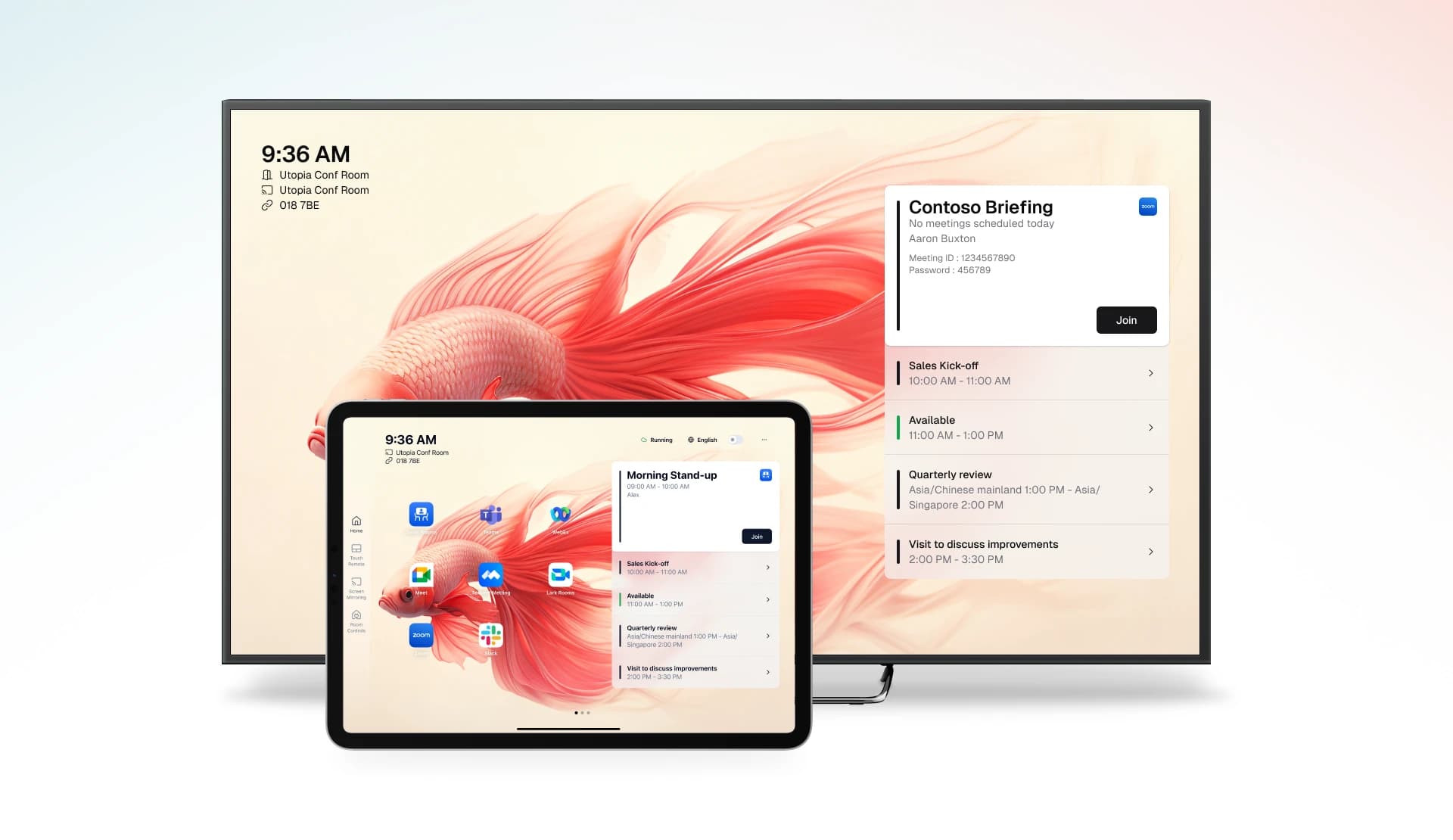
On the VCA Controller (tablet), users can quickly switch between different video conferencing platforms with just a single tap. VCA synchronizes the switch on both the host and tablet, completing the entire process in just seconds.
Scheduled Meetings, Automatic Handling
Even more impressive, VCA supports calendar system integration. Regardless of which platform the meeting invitation comes from, scheduled meetings automatically appear on the meeting room screen. Users simply click the "Join" button, and VCA will automatically:
- Switch to the correct video conferencing platform
- Auto-fill the meeting ID and password
- Join the meeting with one click
The entire process requires no manual intervention, truly achieving "zero-operation" joining of cross-platform meetings.
Say Goodbye to Keyboards and Mice, Keep Your Meeting Room Clean
In traditional solutions, many enterprises have to equip their meeting rooms with keyboards and mice to facilitate switching between video conferencing platforms. This not only increases peripheral procurement and maintenance costs but also disrupts the clean aesthetics of the meeting room.
VCA provides complete virtual keyboard and mouse functionality. Users can control the host directly from the tablet using virtual keyboard and mouse, completing all operations. This means:
- No Physical Peripherals Needed: Save on procurement and maintenance costs
- Reduced Loss Risk: No longer worry about peripherals being taken or damaged
- Stay Clean: Meeting rooms become more organized and professional
Professional Equipment, Professional Experience
In the past, when encountering cross-platform meetings, users often had to use laptops or even phones to join. This brought obvious problems:
- Laptop cameras can't meet multi-person video requirements
- Built-in microphones and speakers are only suitable for personal use
- Meeting experience is significantly compromised
After deploying VCA, you can fully utilize the professional AV equipment in your meeting room for all video meetings—whether it's Zoom, Teams, or other platforms. Professional cameras, microphones, and speakers ensure clear video and audio, letting every meeting showcase your best.
Start Your Cross-Platform Meeting Journey
VCA offers a 30-day free trial, no credit card required, no hardware upgrades needed, zero deployment costs.
Visit vcaapp.com/download now to download VCA and experience the true cross-platform video conferencing solution.
Author: VCA Team
For more information, visit our Help Center or Contact Us.